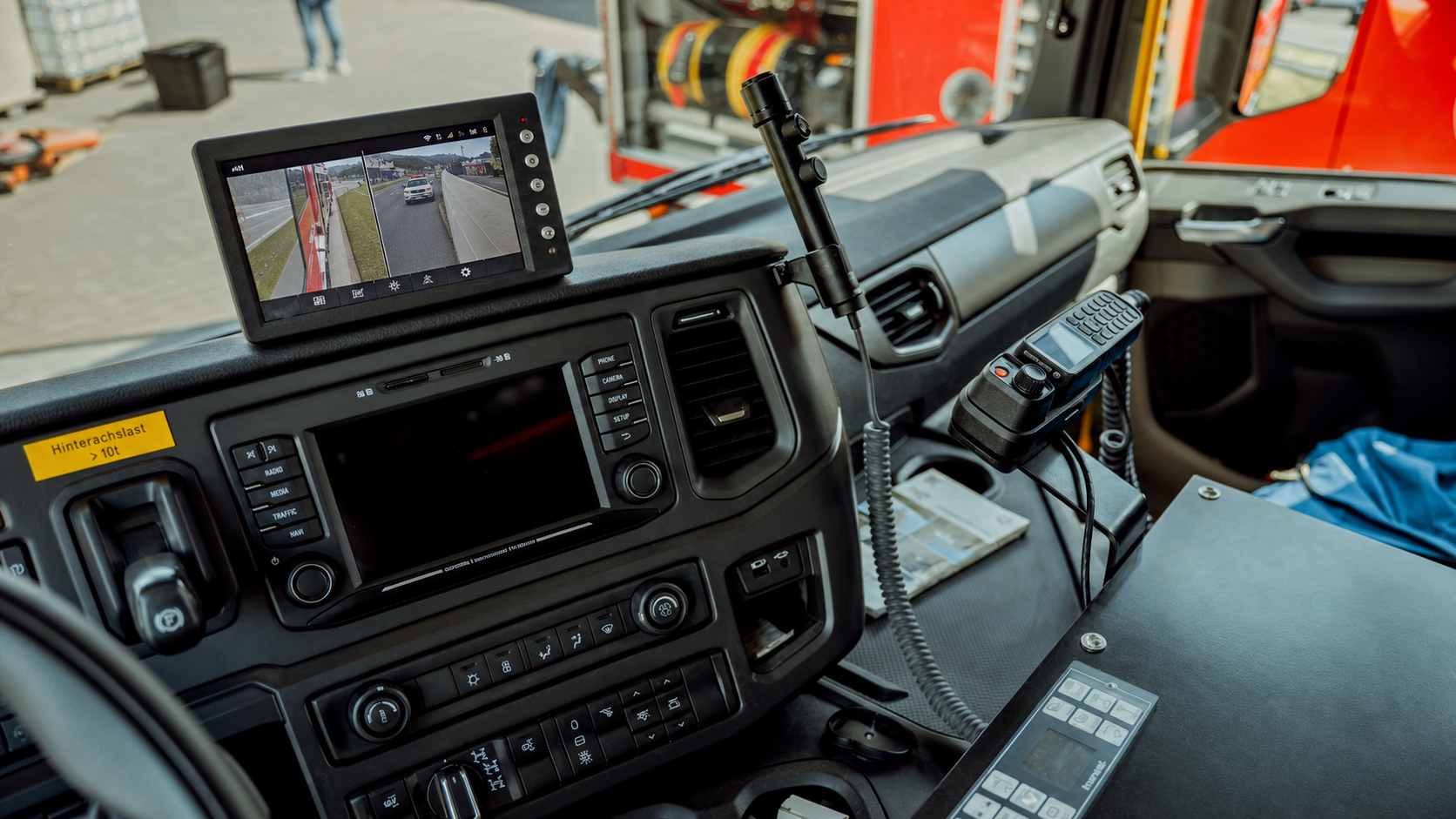
Live streaming can be useful when your team needs real-time context to make a decision during an active situation. It is not a must-have for every vehicle, driver, or safety event. For many routine reviews, recorded event video gives us the evidence we need to understand what happened and guide a follow-up conversation.
The better question is whether seeing current conditions would change what your team does next. If waiting for uploaded footage could delay roadside support, dispatch decisions, or incident coordination, live video may fit your fleet video telematics workflow.
How Live Streaming Works in Fleet Video Telematics
Recorded event video and live streaming serve different jobs. Recorded video helps us reconstruct what happened before, during, and after an event such as harsh braking, a collision alert, or a customer complaint. Live streaming gives authorized team members a current view of the vehicle’s surroundings while a situation is still developing.
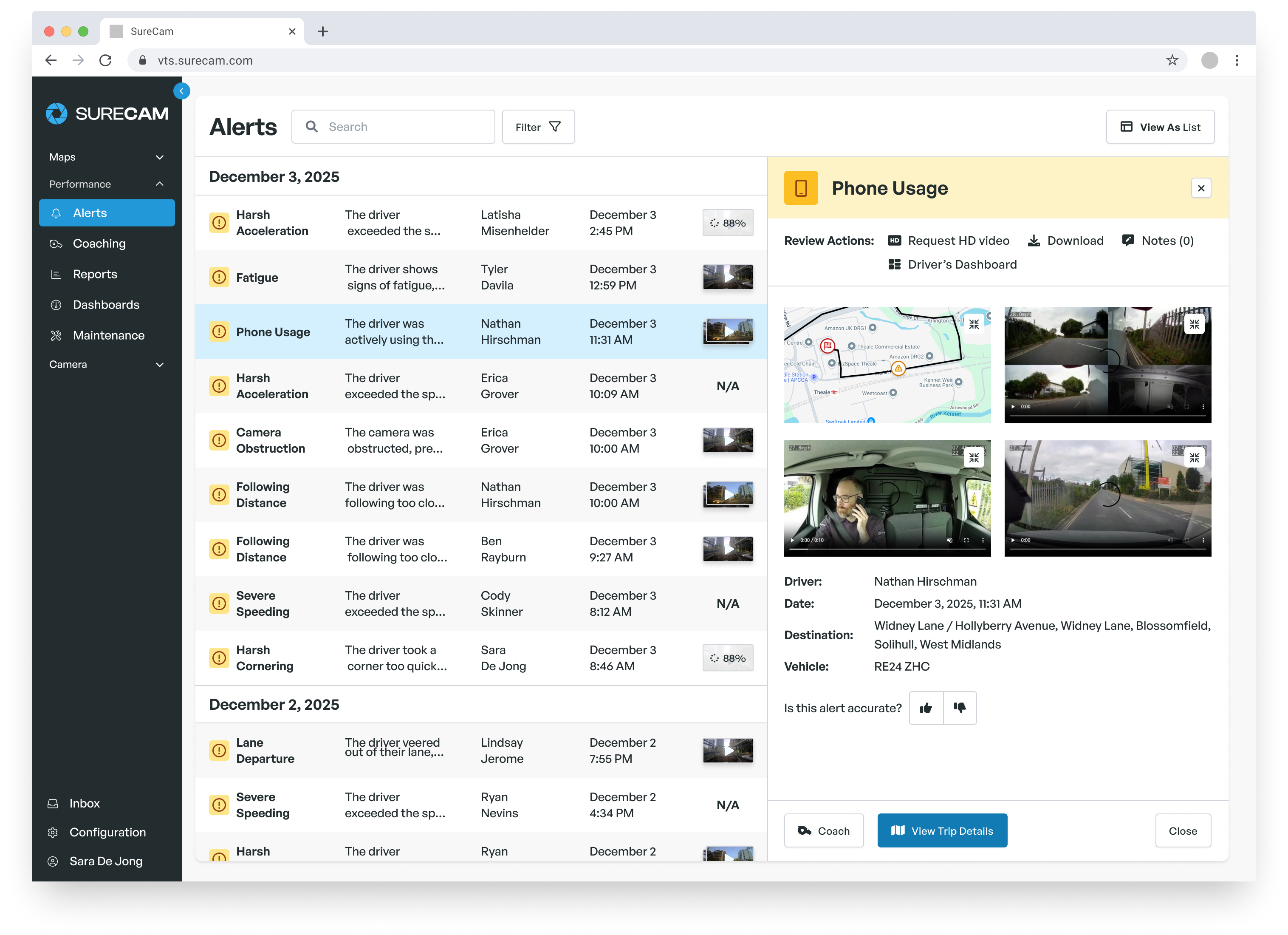
Within a fleet video telematics platform, a connected commercial dash camera with LiveCheck live stream functionality may provide live video alongside GPS location, route details, and relevant safety event data. A safety manager or dispatcher can typically access the feed from the same platform used to review footage and vehicle activity.
Access may depend on how we configure the fleet, including camera hardware, cellular connectivity, and user permissions. A live view may be requested from a map, opened on demand, or made available during a configured event.
Live video should complement, not replace, recorded footage. The live feed can help us assess the present moment, while stored clips remain important for understanding the full sequence of events and documenting what happened afterward.
Use Live Context When Minutes Matter
Live streaming makes the most sense when a vehicle issue is active and the next decision cannot wait for a later review. GPS can show that a vehicle has stopped or moved off route, but it may not explain the conditions around the driver.
For example, we may use real-time video to help assess a reported collision, a disabled vehicle, or an unexpected stop in an unfamiliar area. The goal is not to replace communication with the driver. It is to give our operations team more context before deciding whether to coordinate roadside assistance, adjust dispatch plans, or involve a supervisor.
August can bring rapidly changing route conditions in many operating areas. Severe thunderstorms, construction delays, wildfire-related road conditions, extreme heat, and seasonal delivery volume can all affect a route without much warning. When GPS data alone leaves questions unanswered, a live view may help us determine what is happening around the vehicle.
We do not need to apply the same workflow to every asset. Live streaming may be most useful for:
-
Long-haul units operating far from a central office
-
High-mileage delivery vehicles with tight route schedules
-
Field service teams working in remote or unfamiliar areas
-
Vehicles carrying high-value cargo
-
Routes where dispatch decisions often need to happen quickly
Set Guardrails Before Enabling Live Video
A live feed is only as useful as the workflow around it. Before we enable live streaming, we recommend deciding who can access it, when they can access it, and what actions they should take after opening a feed.
Role-based permissions can help us keep access limited to the people responsible for safety, dispatch, and incident response. Approved use cases should be clear and practical, such as assessing an active roadside issue, confirming conditions during a route disruption, or gathering context for an incident record.
Each authorized user should also know the escalation process. Opening a live feed should lead to a defined next step, not just another screen to monitor. Depending on the situation, that next step may include:
-
Calling the driver to check on their status
-
Coordinating roadside support
-
Updating a dispatcher or customer-facing team
-
Preserving related event footage for review
-
Creating an incident record for follow-up and monitoring driver safety in real time
Connectivity deserves the same attention. Cellular coverage, network conditions, camera placement, and vehicle location can all affect feed quality and availability. We should evaluate live streaming as one part of a wider video telematics process, not as a promise of uninterrupted visibility everywhere a vehicle travels.
It is also worth confirming how live views connect with GPS tracking, historical video, safety events, and existing ELD or telematics workflows. Data access, storage, and retention settings should align with internal policies before a wider rollout.
Fleets comparing equipment can also review best dual-facing truck cameras with live streaming when evaluating camera hardware and live-video capabilities.
Decide Whether Live Streaming Fits Your Fleet
Before adding live video, we suggest mapping your current incident workflow from the first alert through follow-up. Look for the points where your team loses time, such as waiting for a driver update, locating a vehicle, deciding whether roadside assistance is needed, or gathering initial details after an event.
A focused evaluation is usually more useful than a fleet-wide switch. We can start with a limited set of vehicles, routes, or operating situations where live context could change a time-sensitive decision. Then we can review whether the workflow helps our team respond with better information without adding unnecessary alerts or workload.
Build A Video Strategy Around Real Fleet Needs
SureCam helps fleet managers evaluate fleet video telematics that supports safety reviews, driver coaching, and incident response. Our team can walk through the operational questions that matter for your vehicles, drivers, and routes. If you are comparing options or planning a rollout, contact us to discuss your requirements.
FAQs
Does Every Fleet Need Live Streaming?
No. We recommend live streaming when real-time visual context can affect dispatch, safety, roadside, or risk-management decisions. If your team mainly reviews events after they occur, recorded event clips and historical video may meet the operational need.
Does Live Streaming Replace Recorded Event Video?
No. Live streaming helps us view an active situation, while recorded footage provides the historical evidence needed to review what occurred before, during, and after a safety event. A strong fleet video telematics workflow should account for both needs.
What Should We Test During A Live Streaming Demo Or Pilot?
We recommend testing how quickly authorized users can access a feed, what happens in weak cellular coverage, and whether live views connect to GPS data and event clips. We should also confirm how permissions work and whether the process supports incident documentation and driver coaching on our real routes, not only in a generic demo setting.










.png)