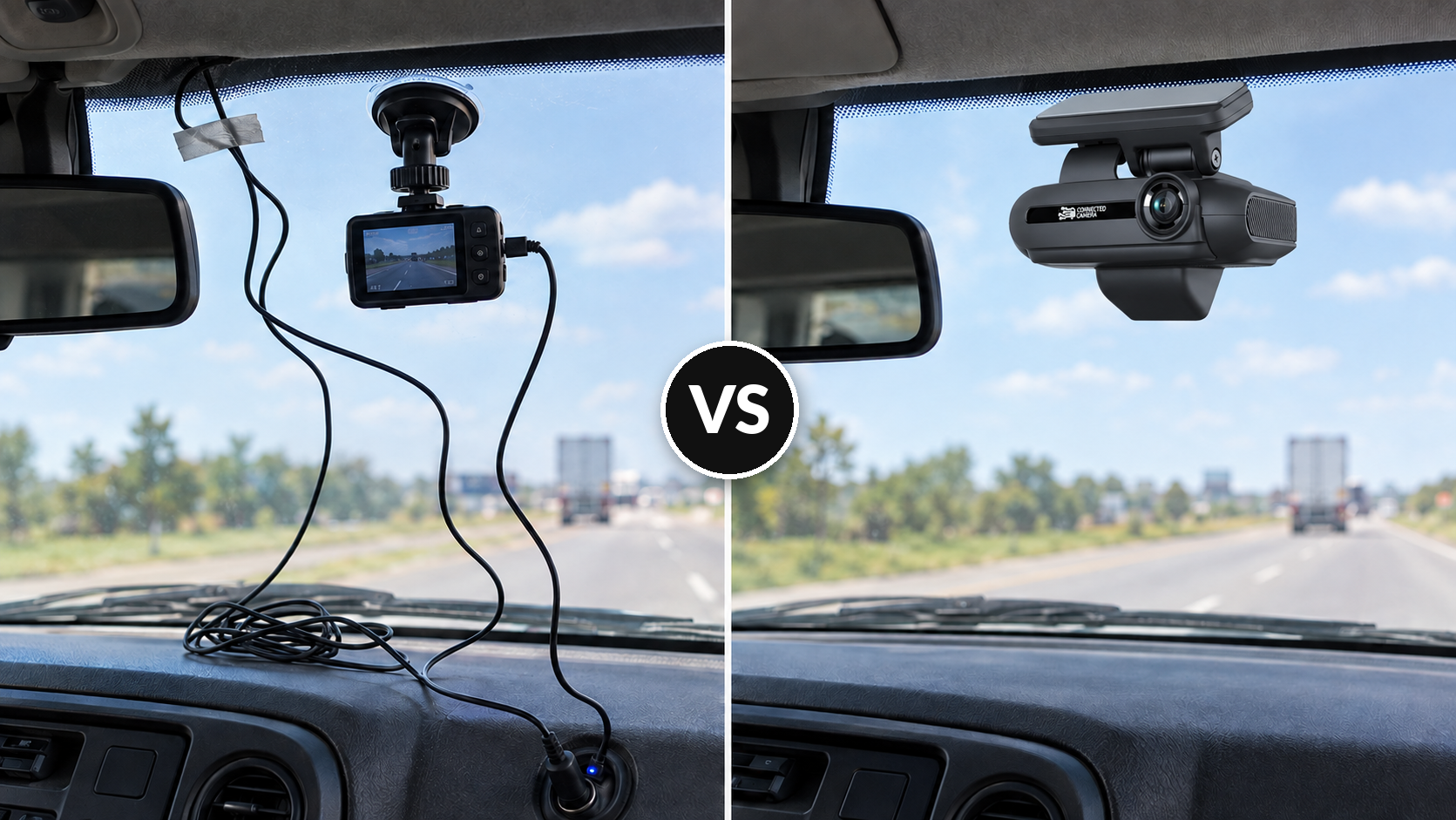
Commercial vs. Consumer Dash Cams for Fleets: 2026 Guide
20 Oct 2026
driver coaching


Improve fleet safety, reduce operating costs, and optimize field performance with an easy-to-use platform for video, GPS tracking, driver coaching, maintenance, asset tracking, and real-time fleet insights.
Drive your total fleet operations with SureCam’s all-in-one video telematics solution.
Valuable guides, case studies, and videos to help you optimize fleet management, safety, and productivity with telematics solutions.
Values, job opportunities, and ways to connect or partner with SureCam.
.png)




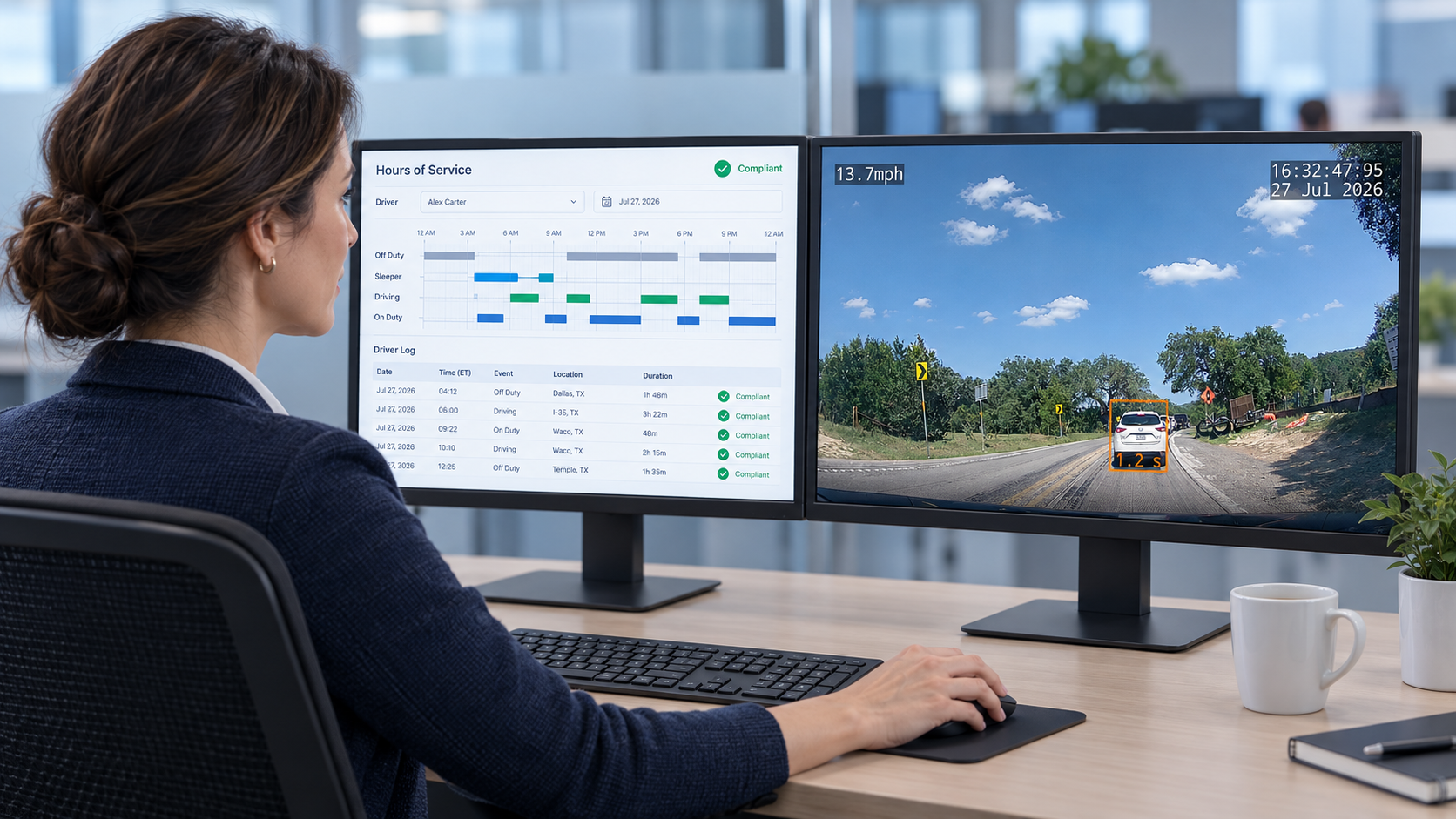
For US commercial fleet dispatchers in 2026, the most capable GPS-integrated camera solutions combine live cellular video, automatic incident alerts, and GPS location data into a single platform with mobile app access. SureCam, Samsara, Motive, and Verizon Connect each offer this combination, but they differ substantially in GPS depth, mobile app experience, and how much platform complexity comes bundled alongside the camera features dispatchers actually use. The choice matters most for SMB and mid-sized fleets that need dispatcher-grade visibility without paying for an all-in-one compliance and logistics stack.
The distinction between a GPS-integrated camera system and a camera system with GPS bolted on is not a marketing nuance. It determines whether a dispatcher clicks a vehicle on the live map and immediately pulls the camera feed, or opens a second system, finds the vehicle by a different identifier, and retrieves the clip manually. That workflow difference compounds across every shift.
Dispatchers evaluating these systems in 2026 need answers to several practical questions before signing: What does the mobile app show in real time? How fast does an event clip reach a phone after a collision? And when a third party files a false claim, how quickly can the dispatcher produce corroborated evidence? The sections below address each in turn.
Running a standalone GPS tracker alongside a separate dash camera system is a common starting point for fleets that added these tools at different times or from different vendors. The problem this creates for dispatchers is structural, not cosmetic.
When a harsh braking event fires in the GPS platform, the dispatcher must switch to the camera system, locate the vehicle by a different identifier, match the timestamp, and pull the clip manually. That sequence takes time under normal conditions. During an active incident, it takes time a dispatcher does not have. The two platforms generate separate event logs that do not cross-reference each other, which means no automatic connection between the GPS record and the video record.
The burden extends beyond the daily operational grind. When a third-party claimant alleges a driver caused a collision, a dispatcher needs GPS coordinates, speed at the moment of impact, and the camera clip from that exact moment, together, quickly. Two separate systems make that assembly manual, error-prone, and slow. Fleets running parallel tools often discover this gap not during a routine review but during a legal dispute, when the cost of the gap becomes visible.
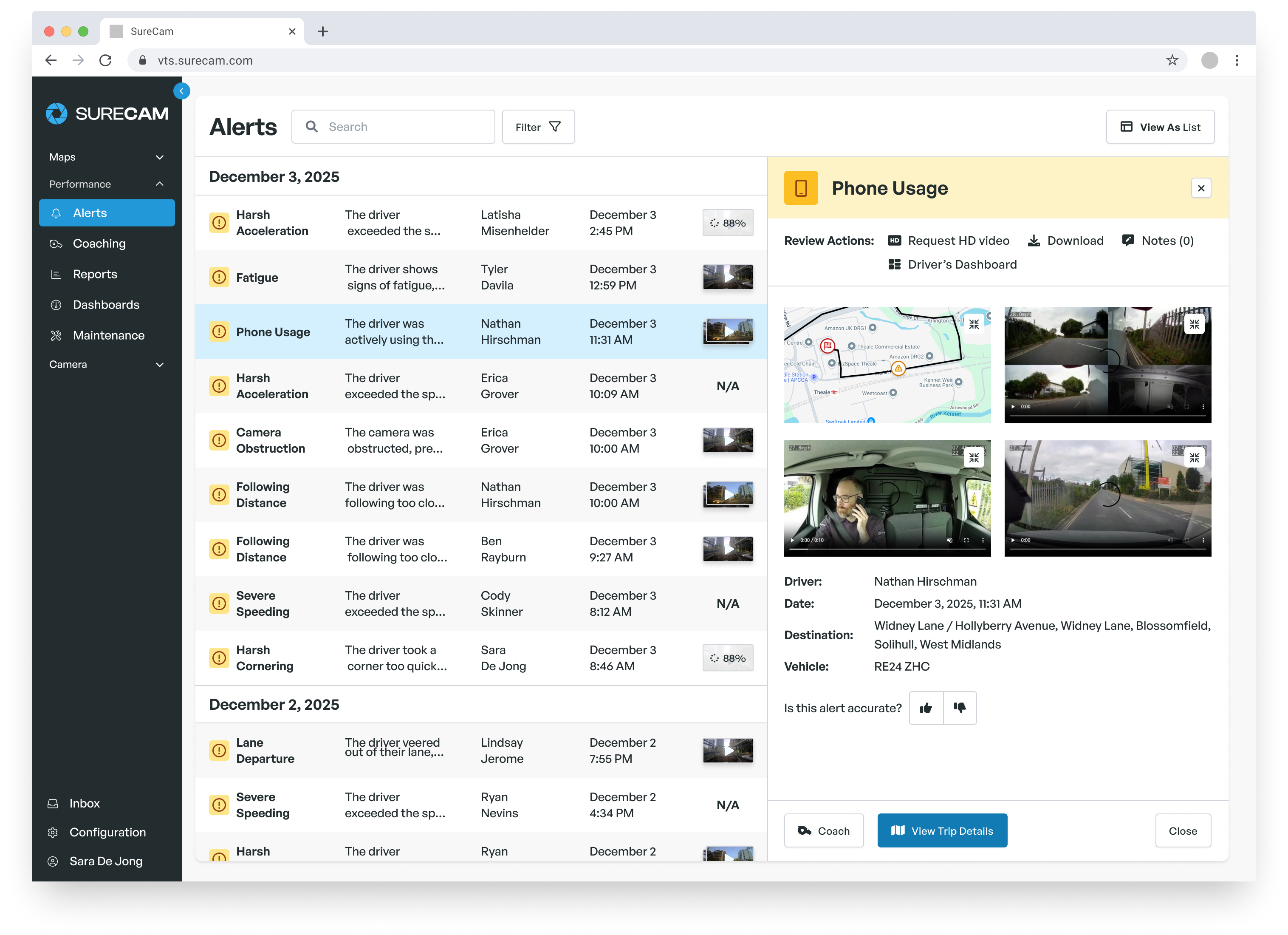
A genuinely integrated system links the GPS event to the video automatically at the moment of capture. The dispatcher sees a collision alert on the live map, clicks it, and the associated clip opens. No cross-referencing, no manual timestamp matching. The system performs that correlation in the background so that the dispatcher's attention goes to the situation, not the software.
Cellular upload is the mechanism that makes this work in practice. When the camera transmits video over cellular within seconds of an event, the dispatcher's mobile app receives the alert and the clip together. That means the dispatcher gets situational awareness from a phone or tablet immediately, without waiting for the driver to pull over, remove an SD card, or transfer a file. The time between event and informed response compresses from hours to seconds.
The mobile app matters as much as the platform for dispatchers who spend time away from a desktop. An app that requires desktop follow-up for key actions removes the primary advantage of mobile access.
Four mobile app capabilities define a system that actually supports dispatcher workflows. First: a live map with vehicle positions and status, updating at a useful refresh rate rather than polling every several minutes. Second: push alerts for critical events (collision, harsh braking, speeding, panic button) that reach the dispatcher's phone within seconds of the event, not minutes. Third: remote video pull, meaning the dispatcher can request footage from a specific vehicle at a specific timestamp without the driver doing anything. Fourth: driver status visibility, including moving, stopped, ignition on, and ignition off, so a dispatcher can confirm a driver reached a job site without making a call.
Remote video pull deserves attention during vendor evaluation. Most systems push event clips as alerts after a trigger. Remote video pull goes further: a dispatcher requests footage from any vehicle for any time window, on demand, without driver involvement. This matters for verifying job completion, responding to customer complaints, or confirming a driver's account of a delay. Ask every vendor to demonstrate this on the mobile app specifically, not the desktop portal.
Fleet camera systems transmit video over cellular networks. US coverage looks complete on carrier maps and materially less complete on the ground, particularly in rural corridors common to utility, field service, and construction fleets operating across states like Wyoming, Montana, West Virginia, or rural Texas. The gap between map coverage and real-world upload reliability affects whether a dispatcher receives event footage in seconds or in hours.
Most commercial camera systems buffer footage onboard and prioritize upload when signal returns, so footage from a coverage gap does not disappear. But the dispatcher experience during that gap (stale location data, delayed alerts, unconfirmed event status) varies significantly by vendor and by how the system handles connectivity interruptions. Ask vendors which carrier networks their devices use, whether they support multi-carrier SIM management, and what the onboard buffer capacity is before footage overwrites. Get answers for your actual routes, not the national average.
The demo for a fleet camera mobile app should happen on the actual mobile app, not a desktop browser. Vendors frequently lead demos with the desktop portal, which tends to be more polished and feature-complete. Request the mobile app demo specifically and run a functional count: how many taps from opening the app to pulling live video from a specific vehicle? How many to review the most recent incident clip for a flagged driver?
Two capability tests matter specifically for dispatcher workflows. First, can a dispatcher pull footage by timestamp, or only from auto-triggered event clips? Timestamp access allows a dispatcher to pull footage of a delivery window, a customer interaction, or a job site visit on demand. Without it, the system only surfaces footage from events the accelerometer detected, which excludes a significant range of situations dispatchers need to investigate. Second, does the system support simultaneous multi-user access? Two dispatchers monitoring the live map at once should see consistent data without one session degrading the other's view.
The most defensible incident response a dispatcher can execute combines GPS location, vehicle speed, and HD video from the moment of the alleged event, all from a single pull. Integrated systems produce all three automatically. When a third party files a claim, the difference between seconds and hours affects how it resolves.
Consider a hypothetical 55-van electrical utility fleet running service vans across a two-state service territory. A third party contacts the company alleging that one of its vehicles made contact with their car in a parking lot on a Tuesday afternoon. Without an integrated camera system, the dispatcher calls the driver, reviews what GPS data exists, and hopes the driver remembers the location. With an integrated GPS-camera system, the dispatcher pulls the vehicle's position history, confirms the nearest vehicle to that location during that window, and retrieves the relevant clip from the camera facing the alleged contact point, within a few minutes of receiving the call. The corroborating data: GPS coordinates at the moment in question, speed at that moment, and video from that camera angle.
GPS and video create a corroborated record because the two data streams verify each other independently. GPS alone confirms a vehicle's location. Video alone shows what happened at a given moment. Together, they produce an account that is difficult to dispute without contradicting both. For fleets operating across customer sites, job sites, and shared parking where third-party contact happens routinely, that corroboration is a direct operational outcome of integration, not a secondary benefit.
The four vendors most frequently evaluated by US dispatchers differ on GPS depth, mobile app design, and how well they fit fleets that need camera functionality without a full compliance or logistics platform. The comparison below covers the dimensions that matter most for dispatcher use: GPS integration, mobile app capability, real-time video access, and fleet fit.
| SureCam | Samsara | Motive | Verizon Connect | |
|---|---|---|---|---|
| GPS integration | GPS built into every camera; live map, trip history, speed and harsh-event data; simple location and safety focus | Deep telematics: live GPS, asset and trailer tracking, route optimization, dispatch tools | Full GPS suite with safety scores; ELD and HOS integrated throughout | GPS telematics depth and mobile integration details |
| Mobile app | Live map, event alerts, remote video pull; built for dispatcher-focused real-time oversight | Full fleet operations app: dispatch, routing, camera feeds, maintenance scheduling | Broad app covering ELD/HOS, GPS, camera events, and workflow automation | Mobile apps for both Reveal and Fleet, available on iOS and Android. |
| Real-time video | Cellular-connected; event clips upload within seconds of capture | Cellular-connected; live streaming available | Cellular-connected; event-based and continuous recording options |
Connected via the Verizon Cellular Network. |
| Best fit | Non-ELD service, construction, and delivery fleets wanting camera plus GPS without compliance complexity | Mixed and long-haul fleets needing ELD, dispatch, and camera in one system | ELD-forward fleets where HOS compliance drives technology selection | Compliance heavy fleets. |
| Complexity risk for non-ELD fleets | Low: pricing and features match what service fleets actually use | High: broad platform built for compliance-heavy and long-haul operations | High: ELD and HOS features shape the product even for fleets that don't need them | Complex for teams not fully bought into the Verizon ecosystem. |
SureCam's position in this comparison concentrates in one area: fleets that don't run ELD-regulated routes pay only for video, GPS, and safety features they actually use. Samsara and Motive offer deeper platforms, but that depth arrives with complexity that can overwhelm dispatchers at SMB fleets who need a fast, clear mobile tool rather than a full operations hub.
The evaluation and onboarding phases determine whether a GPS-camera system delivers for dispatchers or becomes another platform that sits underused. Both require preparation.
Most vendor demos show optimized conditions. The questions below are designed to reveal how the system performs under realistic dispatcher pressure. Start with latency: ask specifically how many seconds from a collision event to dispatcher notification on the mobile app. Vendors who cannot answer this precisely, or who respond with general framing, signal that alert latency may not match dispatcher expectations in practice. Ask whether the system guarantees that event footage captured in a low-signal area uploads when connectivity returns, and whether that clip appears in the event log automatically or requires manual retrieval.
Ask about dispatcher-specific functionality: can a dispatcher pull footage by timestamp rather than only from auto-triggered event clips? Can two dispatchers access the live map simultaneously without one session affecting the other? What does the export process look like for video sent to an insurance carrier or legal counsel, and does it preserve GPS metadata with the clip? Request the demo on the mobile app and count the taps required to complete each action.
Before the first vehicle goes live with an integrated GPS-camera system, four configuration decisions should be locked. First, define alert thresholds: which events (harsh braking, collision, speeding above a set threshold, prolonged idling) generate dispatcher notifications. Starting with all events active creates alert fatigue within days. Start with the highest-priority events and expand. Second, confirm mobile app access and user roles for every dispatcher who needs live map and video visibility before go-live, not after.
Third, run a table-top exercise before relying on the system for a real incident. Simulate a collision event, walk through the response workflow on the mobile app, and confirm that the path from alert to clip review to documentation completes in under five minutes. This exercise surfaces workflow gaps before a real claim arrives. Fourth, confirm cellular coverage on the specific routes your fleet runs most frequently. Map known gaps, and establish a documented protocol for incidents that occur in low-signal areas, including how long the onboard buffer holds footage before it risks being overwritten.