What a Single Vehicle and Equipment Tracking Platform Must Do
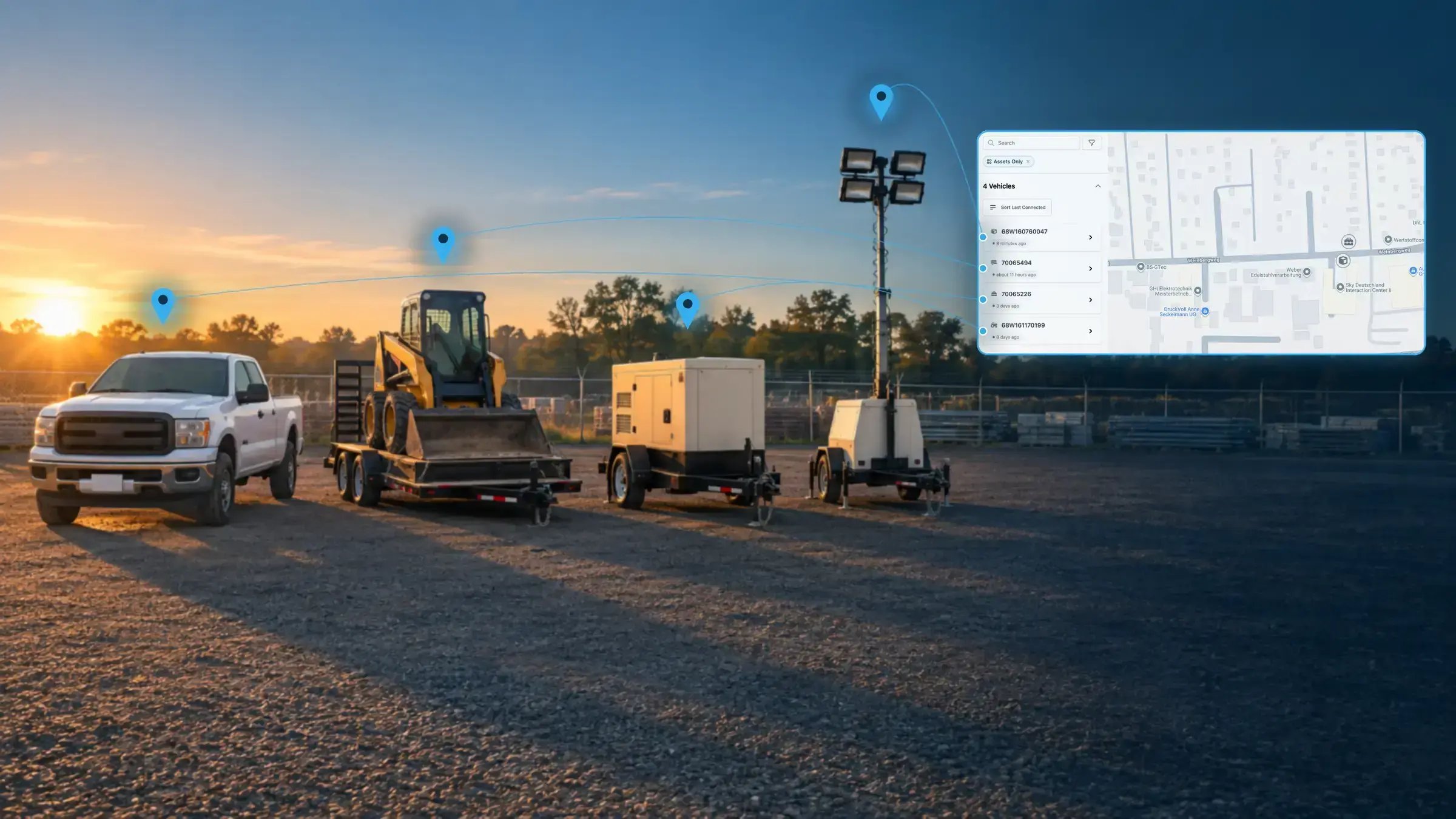
A platform that genuinely unifies vehicle and equipment tracking shows every truck, trailer, and piece of equipment on one live map under one login. It alerts the right person when anything moves after hours or leaves a defined area, keeps a history for every asset, and reports which equipment works, sits idle, or costs money.
Anything less usually means two systems under one logo. This guide gives buyers a six-step framework for testing that claim in a demo, plus red flags, vendor questions and a worked example.
Why Vehicle and Equipment Tracking in One Platform Changes the Workday
One platform matters because a normal workday asks questions that cross the line between vehicles and equipment, and two systems force a manual stitch every time. A single login turns those questions into one look instead of a round of phone calls.
Follow one day at a contractor, a landscaping company or a utility crew. The shift starts with the rollout: the crew lead needs the trailer, the generator, and the truck that tows them at the same site. On one map, all three show where they sit. Across two systems, someone calls the yard and hopes.
By midday, the question changes. Which equipment sits idle at a finished site while another crew rents the same type? A dormancy report answers that. A list of last known positions does not, and an asset can sit untouched for a month before anyone walks past it. Ownership, financing, and insurance costs keep running anyway.
After dark, a trailer leaves the yard. The alert lands in the same place as vehicle alerts and reaches the person who owns that yard. The same record holds the trailer's history if anyone asks where it went, so nobody has to cross-reference two tools to reconstruct the night.
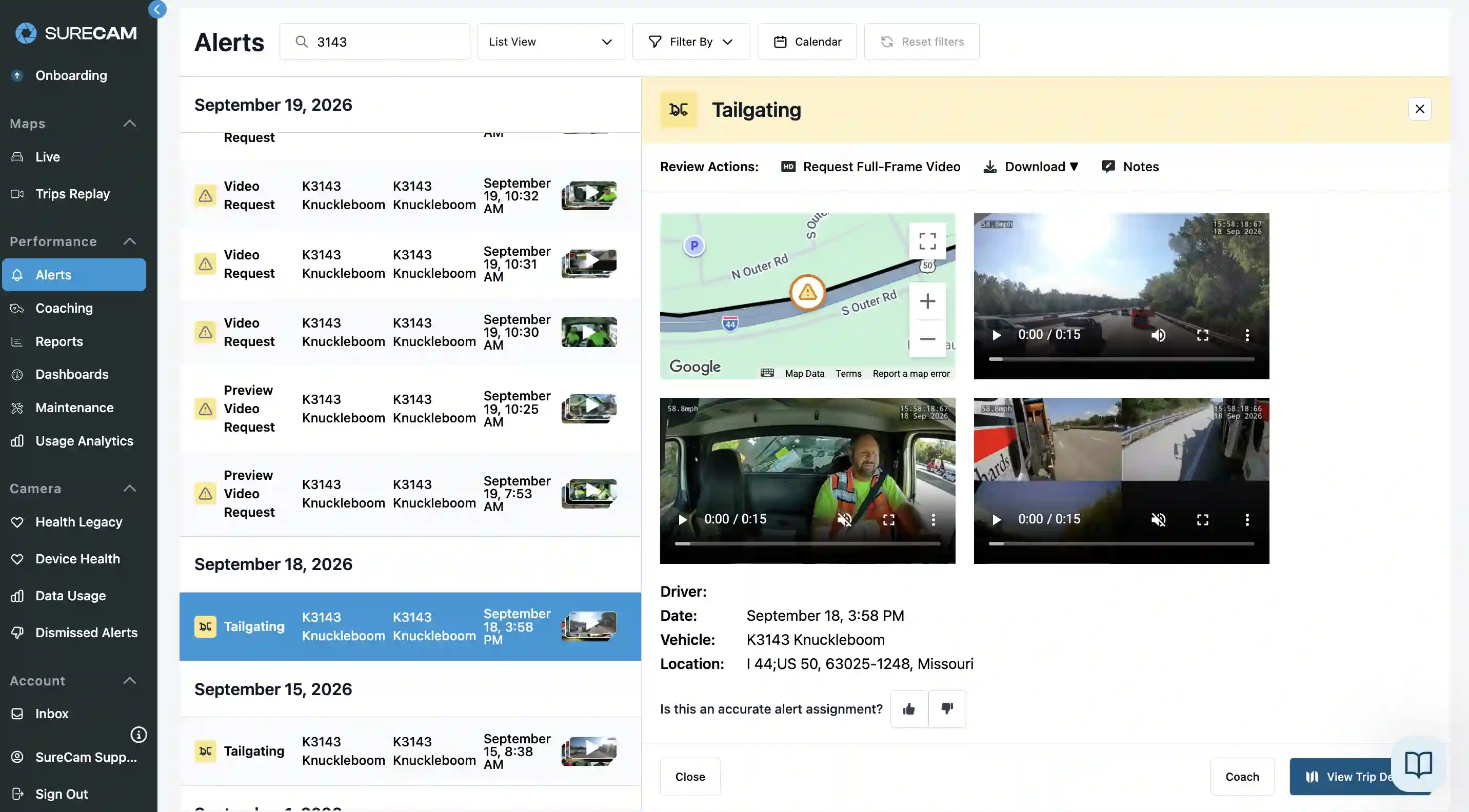
Platforms that start from vehicle video, as SureCam does, can place equipment in the view fleets already use for cameras and GPS. For a closer look at how that model differs from standalone cameras, see video telematics vs standalone dash cams.
How to Evaluate a GPS and Asset Tracking Platform in Six Steps
Work through these six steps in order, because each one narrows the field for the next. Every step follows the same pattern: what to ask for, what a strong answer looks like, and what a weak one looks like. Spend the most demo time on step five, and apply all six to any vendor, including the current one.
- Map your asset mix by type. List every vehicle, trailer, generator, light tower, compressor, and tool trailer the business owns, grouped by how often each one moves. Include the assets that rarely move, since those hide the idle cost. A strong outcome gives buyers a one-page list that the vendor must match line by line during the demo. A weak outcome lets the vendor define the asset types, so the gaps surface after signing. For choosing devices by asset type and power source, see the guide to asset tracking for equipment theft prevention.
- Run the one-map test. Ask the vendor to show a truck, a trailer and a generator live on the same map, in the same login. A strong answer shows all three updating together, with details one click away and no switching between apps. A weak answer relies on a screenshot, a recording, a second tab or a separate equipment view. SureCam publishes that it tracks assets "powered or not" and places them on a single live map, in a single login, alongside vehicle GPS and camera footage, which makes a useful benchmark for any vendor.
- Design the alerts. Ask the vendor to set up an after-hours movement alert and a leaves-a-defined-area alert for a yard or job site, then show who receives each and what happens when nobody responds. A strong answer defines working hours versus after hours, draws the boundary during the demo, routes each alert to a named person and delivers it beside vehicle alerts. A weak answer fires one alert type for all movement, so a crew moving a trailer at midday looks the same as a night-time move, or delivers alerts to a separate inbox that nobody watches.
- Check the asset history. Ask the vendor to pull the history for one trailer and for one truck, then state how far back each goes. Comparing the two exposes a split system quickly, and a look-back that covers a full season gives later reports something to work with. A strong answer shows movements and boundary crossings in order, for every asset type, with a clear look-back period. A weak answer offers history for vehicles only, or a last known position that overwrites itself, which leaves a missing asset with no trail and a disputed site visit with no record.
- Test usage and dormancy reporting. This step turns tracking into an operations tool. Ask the vendor to show a report that sorts assets into working, idle and costly for a period the buyer chooses, and to explain how it classifies equipment without an engine, such as trailers, light towers and tool carts. Working assets move in a pattern that matches the schedule, idle assets sit in one place after the work ends, and costly assets keep drawing ownership expense while delivering little. A strong answer ties each label to something observable and lets the period stretch to a full season. A weak answer shows a single day or a bare list of positions. The worked example below shows this view supporting idle equipment tracking in practice.
- Confirm the theft response. Ask the vendor to walk through one overnight scenario: an asset leaves a yard, the alert fires, live location reaches the team or local law enforcement, and a record supports an insurance claim. A strong answer follows a defined sequence the vendor can demonstrate. A weak answer leans on promises about recovery, which no platform can guarantee. SureCam's published description covers sharing live location with the team or local law enforcement and supporting insurance claims. For the recovery side, see stolen equipment recovery: why odds stay low and what helps.
Red Flags That a "Unified" Platform Runs on Two Systems
A platform marketed as unified but built as two systems shows its seams quickly in a live demo. Treat any one of these six signs as a reason to ask harder questions, and two or more as a reason to look at other vendors:
- Separate logins or apps for vehicles and equipment, often described as a companion app.
- Equipment missing from the vehicle map, or reachable only through a different view or tab.
- No usage or dormancy reporting, only a list of last known positions.
- Alerts that cannot tell working hours from after hours, so every movement fires the same alert or none does.
- No per-asset history, or history that covers vehicles only.
- A vendor that cannot demo vehicles and equipment on one live map, or substitutes a screenshot, a recording or a roadmap promise.
Questions to Ask Asset Tracking Vendors in Any Demo
These questions work with any vendor and any asset mix. Read them aloud during the demo, ask the vendor to answer on screen instead of in slides, and note which answers describe the product today and which describe a roadmap.
- Which asset types appear on the live map today, and which require a different product or login?
- Can the demo show a truck, a trailer and a generator on one map right now, not in a recording?
- Who can receive an after-hours alert, and how does the platform decide what counts as after hours for each asset?
- How far back does each asset's history go, and does equipment match vehicles?
- How does the usage and dormancy report classify an asset with no engine, and can the period change?
- What reaches a teammate or local law enforcement during a theft, and what record supports an insurance claim?
- Which of these capabilities belong to the base platform, and which come with a separate contract or add-on?
A Worked Example: Using Dormancy Data to Move, Rent or Retire
Dormancy data earns its keep when it changes a decision. This hypothetical follows three assets through one usage report and shows how a pattern leads to a move, a rental or a retirement, with no figures beyond what the report reveals.
Consider a hypothetical excavation and site work contractor running pickup trucks, equipment trailers, a generator, a compressor, and an older tool trailer across several client sites. The owner opens the usage and dormancy report in the same login used for vehicle GPS and sets the period to the last season.
The pickups and trailers show steady movement, which gives the owner a baseline before the exceptions stand out. The generator sits dormant at a finished job site while a crew at another site rents one for the same work. The call: move it, which ends the rental. The compressor shows as idle for most of the season, with no scheduled job that needs it. The call: rent it out, which turns an idle asset into revenue. The older tool trailer shows as dormant in every report the owner pulls, while storage and insurance keep costing. The call: retire it.
In each case, the report supplies the pattern, and the owner supplies judgment about condition, upcoming jobs and resale value. SureCam describes this reporting on its fleet asset tracking page as showing which assets are working, idle or costly, to help decide what to move, rent out or retire.
Frequently Asked Questions About Vehicle and Equipment Tracking
These answers cover the questions buyers raise most often when comparing platforms that track vehicles and equipment together. Each one matches a step in the framework above, so the section doubles as a quick checklist to carry into vendor calls.
Can one platform track both vehicles and equipment?
Yes, when vehicles, trailers, and equipment all appear on one live map under one login, with shared alerts and a history for each asset. A platform that keeps equipment in a separate app or portal counts as two systems, even when a single vendor sells both.
What is the difference between asset tracking and equipment utilization tracking?
Asset tracking shows where an asset sits and when it moves. Equipment utilization tracking adds a view over time of which assets work, sit idle, or cost money, so owners can decide what to move, rent out, or retire.
How can a business track trailers and equipment with fleet vehicles?
Start with an inventory of asset types, confirm the platform covers each one on the same live map as the vehicles, and set after-hours and area alerts for the assets that matter most. The six-step framework above covers the full sequence.
What is asset dormancy reporting?
Asset dormancy reporting identifies assets that have not moved or shown activity across a defined period. Owners use it to find equipment sitting unused at finished job sites or in the yard. How a platform measures activity varies by vendor, so ask for the definition during the demo.
See Vehicles and Equipment on One Map
SureCam places equipment, trailers, and containers in the same platform fleets already use for vehicle video and GPS, in keeping with Fleet Management Without Friction. Ask for a live demo and run the one-map test on real assets.