Fleet Management Software: What It Does and Who Needs It
Fleet management software helps commercial teams track vehicles, document incidents, review driver behavior, and answer operational questions faster than manual methods allow. For service and delivery fleets, the right platform connects GPS data, video evidence, and driver coaching into one workflow so managers spend less time reconstructing events after the fact.
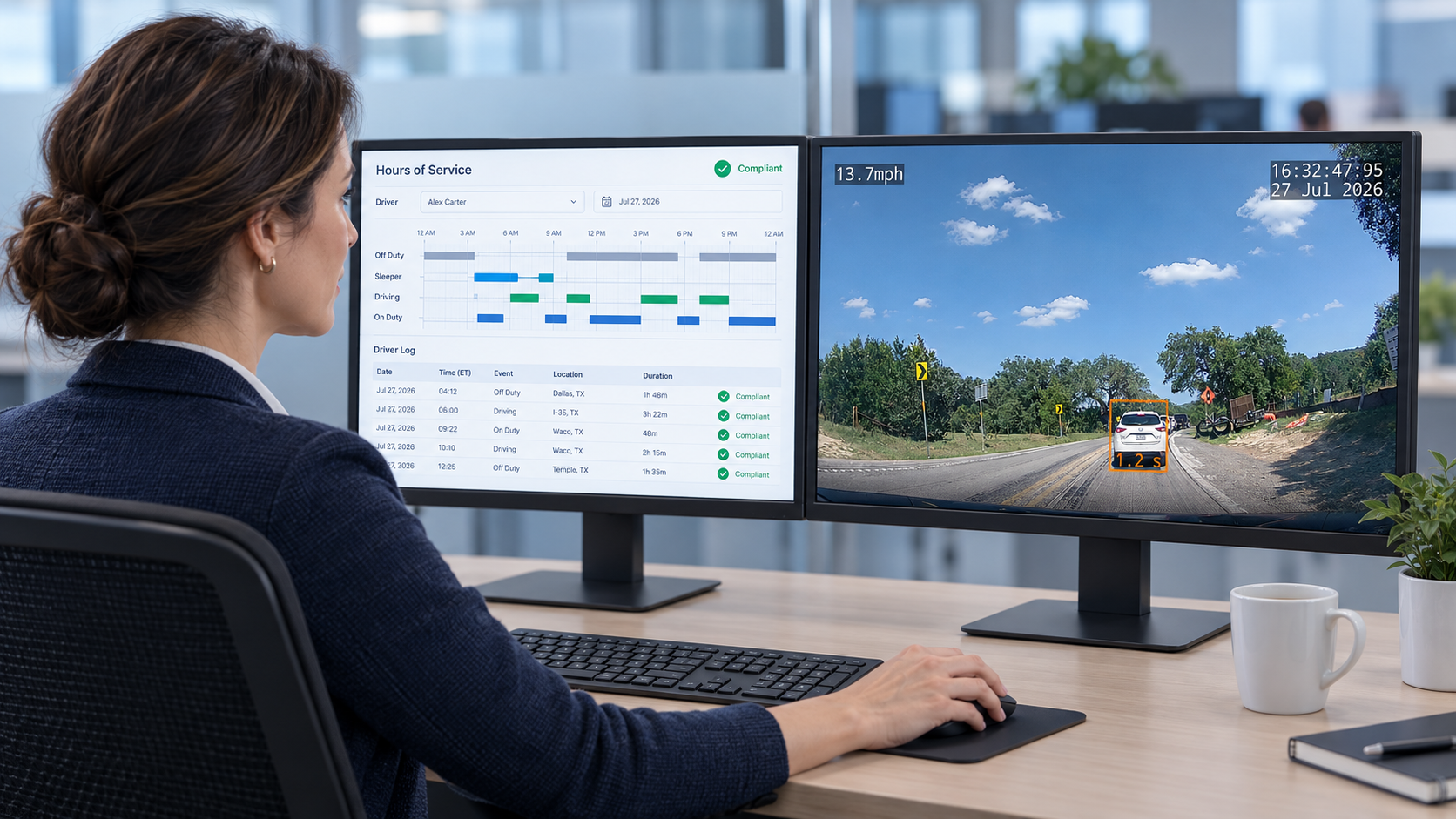
Long-haul carriers and compliance-heavy fleets often adopt fleet software primarily for ELD, Hours of Service management, and DVIR documentation. Service and delivery operations typically have different priorities: knowing where vehicles are in real time, documenting what happened at a customer location, tracking stop duration, and accessing footage within hours when a complaint or incident arrives. A platform built around long-haul compliance requirements adds cost and complexity for fleets that will never use most of what they are paying for.
The Features That Drive Daily Operational Value
Feature lists across fleet software vendors can look nearly identical on a checklist. The meaningful differences surface when you ask each vendor to walk through the workflows your team will actually use every day.
GPS and Location Intelligence
GPS tracking should deliver more than vehicle positions on a map. For service and delivery operations, the visibility that matters includes trip history, stop duration, geofence entry and exit, idle time, and route-level context. That combination lets your team answer the questions customers and operations staff ask most often: whether a vehicle reached a site on time, how long it remained there, and where a route slowed down.
Stop duration data carries particular weight for field service operations. If a technician's typical appointment runs 90 minutes but a vehicle record shows four hours at a location, that warrants a conversation. If a delivery vehicle logs extended idle time at a distribution point, that affects scheduling for the rest of the day. GPS resolution at this level reduces back-and-forth between managers and drivers because the record exists before the conversation starts.
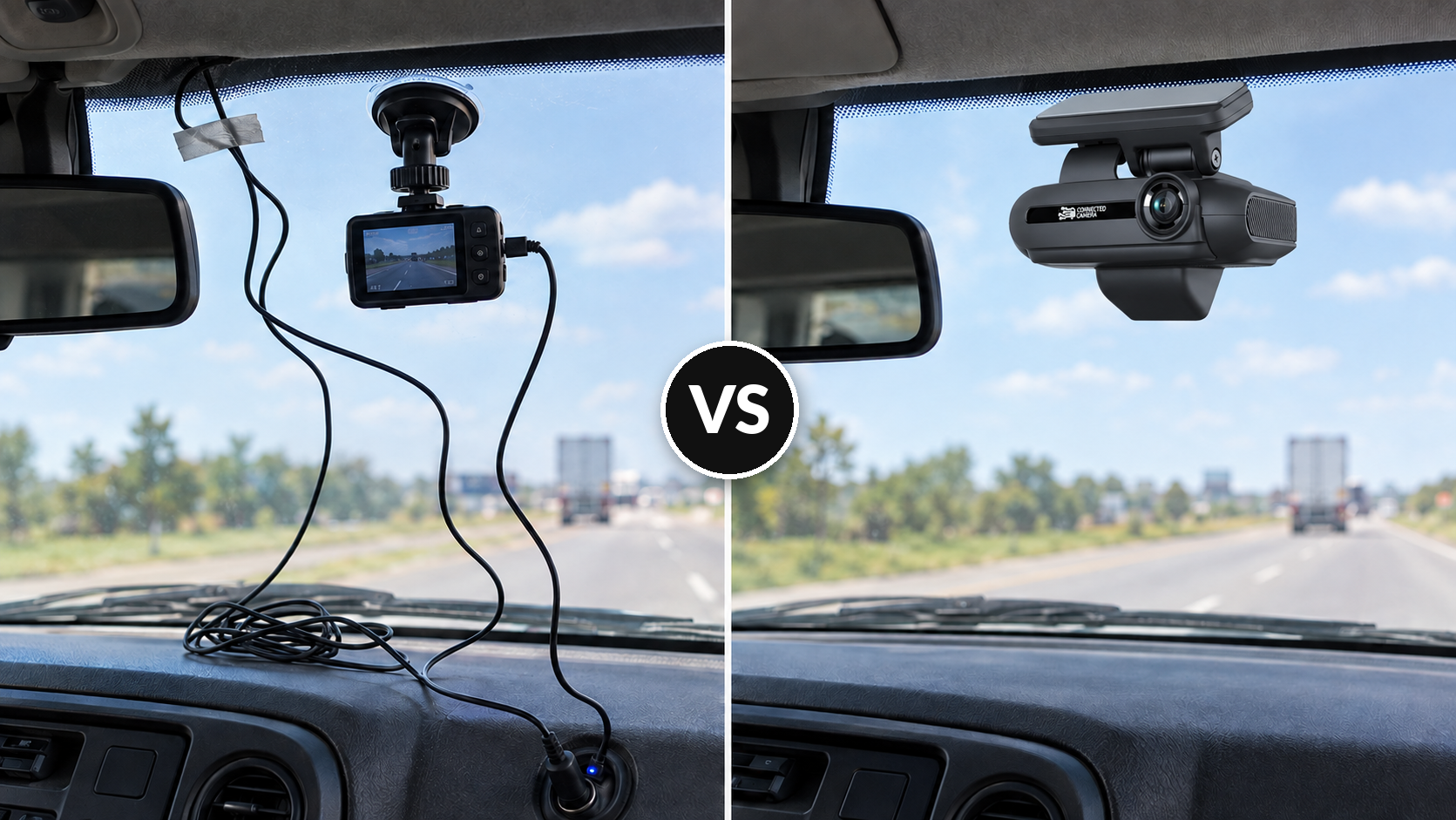
Having GPS and Dash Camera all in one device makes installation and maintenance simpler. Being on one shared platform ensures your GPS data and your video telematics data are never out of sync.
Video Telematics and Dash Camera Coverage
Video evidence changes the nature of incident response. When a customer dispute, backing event, near-miss, or traffic incident occurs, footage reviewed within hours produces a cleaner record than driver recollection collected days later. For delivery fleets completing dozens of stops per shift, backing incidents and customer-site incidents rank among the highest-frequency risk events, and video often provides the only objective documentation of what occurred.
Camera configuration matters for different vehicle types and routes. A forward-facing camera captures what happens ahead but misses what occurs at the rear during backing or unloading. Rear-facing cameras extend documentation to scenarios that generate many disputes for delivery and service fleets. Some platforms support additional camera views for larger vehicles, cargo area monitoring, or side coverage on wide equipment. Confirming which configurations match your vehicle types before selecting hardware prevents a mismatch that cannot be easily corrected post-install.
Driver Coaching and Safety Event Review
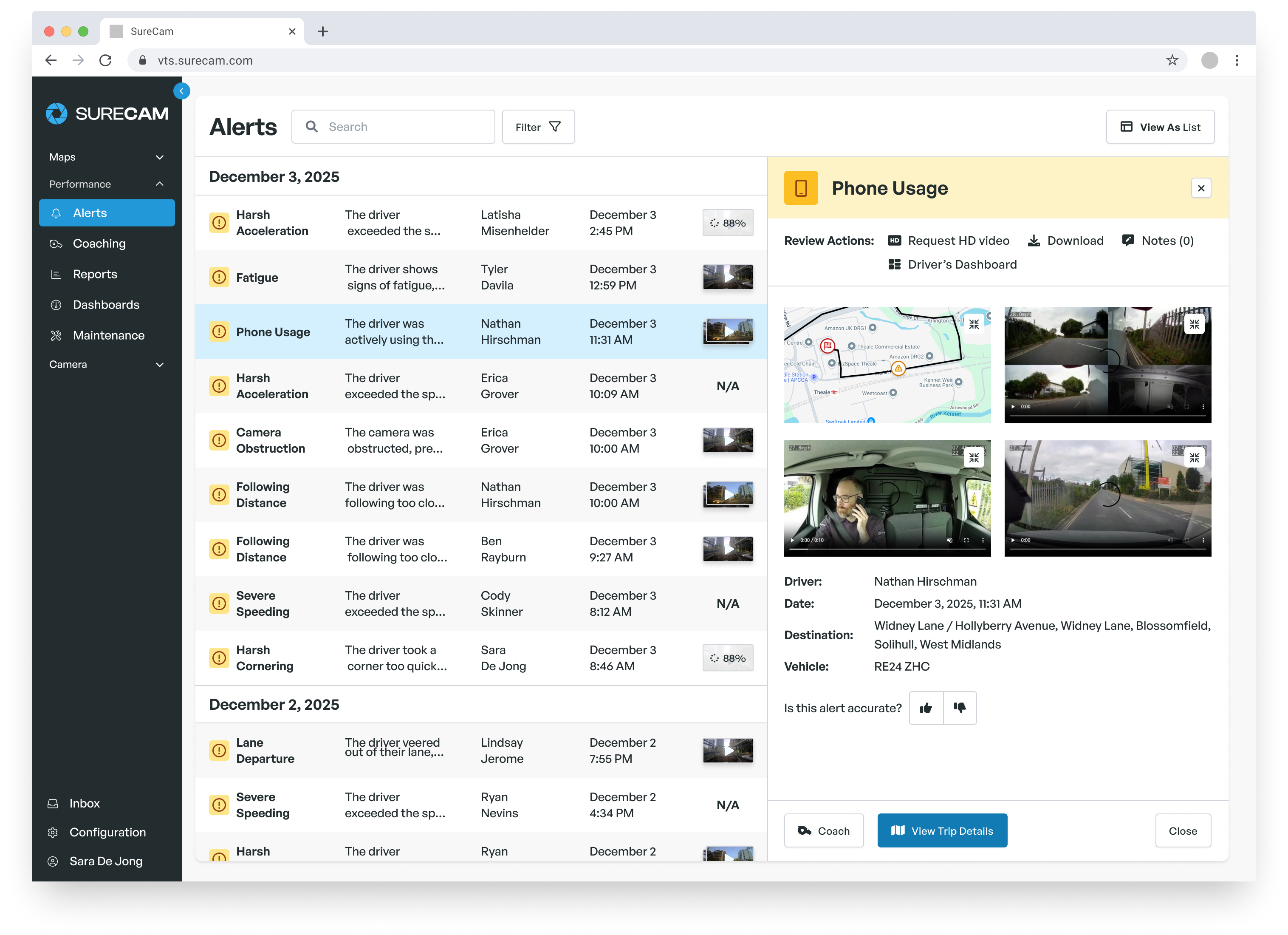
Driver coaching works best when it connects to verified events rather than general observations or aggregate scores. Platforms with AI-powered event detection identify hard braking, speeding, tailgating, and distraction-related behaviors and attach those detections to specific trips and timestamps. Managers have something concrete to reference rather than an abstract safety score with no visible source.
Alert volume determines whether coaching conversations actually happen. A system that surfaces too many low-priority events produces alert fatigue, and managers stop acting on notifications. Effective platforms let administrators set thresholds that reflect actual operating conditions, so the events reaching managers represent behaviors worth a follow-up rather than routine driving variability. Confirm during any vendor demonstration that alert tuning does not require calling a support team to adjust.
Choosing a Platform That Matches Your Operational Needs
No platform fits every fleet equally, and the evaluation process produces better outcomes when it starts from your primary operational need rather than a feature comparison alone.
Matt "Jake" Jacobson, Director of Fleet Operations at SAV Express, a 100-vehicle dry goods carrier, encountered this firsthand when evaluating a previous telematics provider. The integrated camera system that vendor bundled into their platform had poor video quality and a contract clause few fleet operators anticipate: the provider claimed ownership of the footage and shared it with SAV Express only on request. When an incident at a truck stop produced $10,000 in damages to a parked SAV Express vehicle, the inability to access video independently created real operational and financial exposure. After switching to SureCam for its video clarity, data ownership model, and customer service quality, SAV Express documented more than $1 million in saved repair and claims costs.
That experience points to a category of evaluation criteria that does not appear on most feature checklists but determines whether a platform supports your operations when it counts: who owns the footage, how quickly your team can retrieve it, and whether accessing additional video requires contacting a vendor or can happen directly through your account.
| Evaluation Criterion |
Why It Matters for Service Fleets |
Why It Matters for Delivery Fleets |
| GPS and trip history depth |
Confirms arrival time, stop duration, and geofence activity at customer locations |
Tracks route adherence, stop counts, and idle time across high-volume runs |
| Video telematics and camera configuration |
Documents backing events and customer-site incidents with rear-camera coverage |
Captures not-at-fault incidents on dense urban routes with multiple stops per shift |
| Driver coaching workflow |
Connects coaching conversations to verified events for technicians across multiple daily locations |
Reduces high-frequency risk behaviors before claims frequency reaches insurance-review territory |
| Data ownership terms |
Guarantees independent footage access without vendor involvement at moments of dispute |
Portable documentation for claims that cannot be contested on data-access grounds |
| Integration capability |
Connects to dispatch, service scheduling, and job management systems |
Connects to route optimization, delivery tracking, and returns management workflows |
Vendor Evaluation Questions to Ask Before Signing
The gap between a platform's feature description and its day-to-day performance often surfaces during the demonstration. Ask vendors to walk through the actual process of locating a specific trip, identifying a relevant driver event, reviewing footage, and logging a coaching note. A platform requiring a data export or a system switch at any point in that sequence adds manual work that compounds across hundreds of weekly events.
Ask directly how long footage is retained, whether retention can be extended for incidents under active claims review, and whether retrieving video outside of automatically flagged events requires support-team involvement or can happen directly through your account. For fleets with insurance partners that require fast evidence submission, confirm data ownership terms in writing before signing. The SAV Express experience illustrates what it costs to learn those terms after a claim arrives.
Ask about the implementation process, not only the product. Confirm the installation schedule, driver communication resources, initial manager training, and the vendor's approach to the first 30 to 60 days. A platform fully adopted in the first two months produces stronger long-term results than a feature-rich system that gets partially configured and then bypassed.
Plan Implementation Before Your Peak Season
Fleets expecting holiday delivery volume, year-end service demand, or seasonal staffing increases should begin platform evaluation well before those periods arrive. Installation, alert configuration, manager training, and driver communication all require calendar time that disappears when routes fill up.
A practical rollout typically begins with confirming vehicle counts and installation scheduling, then moves to configuring driver groups, alert thresholds, report access, and manager permissions before cameras go live. Driver communication should frame the platform as a safety and exoneration resource before the first shift running on the new system. Managers need time to build consistent event-review habits before daily volume rises.
For larger fleets, a pilot group of 10 to 20 vehicles across typical route types and driver experience levels can surface alert-threshold adjustments before full deployment. Define success measures before launch: time from incident to footage review, completed coaching conversations per week, and report usage by manager. Reviewing those at 30 and 60 days keeps the deployment on track before peak season begins.
Frequently Asked Questions
The following addresses common decision points for service and delivery fleet operators evaluating fleet management software.
What Is Fleet Management Software?
Fleet management software helps commercial fleets track vehicles, review driver behavior, document incidents, and produce reporting that gives managers faster answers about fleet activity. Core capabilities typically include GPS location and trip history, telematics, asset tracking, and dash camera coverage, driver safety event detection, and integrations with dispatch, scheduling, or compliance systems.
What Features Matter Most for Service and Delivery Fleets?
Common priorities for these operations include real-time GPS tracking with stop and route detail, video telematics with rear-camera coverage for backing and customer-site incidents, AI-powered event detection with adjustable alert thresholds, and coaching workflows that connect verified events to timely follow-up. The most useful configuration depends on whether incident documentation, operational visibility, or driver coaching carries the most weight in daily operations.
Does Video Telematics Make Sense for Smaller Fleets?
Fleet size matters less than road exposure and the nature of the stops your vehicles make. A 15-vehicle field service fleet completing multiple customer visits per day carries meaningful incident and dispute risk. Video provides the same documentation advantage for a small fleet that it provides for a large carrier, particularly when a single uncontested claim can cost more than a full year of platform fees.
How Long Does Implementation Take?
Timelines depend on fleet size, hardware installation scheduling, integration requirements, and internal training needs. Most fleets should plan 30 to 60 days from contract signing to full operational use, with installation and configuration in the first two weeks and manager training and driver communication following through the remaining period. Request a documented rollout plan from any vendor before signing.
Can Fleet Management Software Support Driver Coaching?
Effective coaching workflows connect verified driving events to structured, timely follow-up and track whether risk patterns improve over time. The right platform surfaces events that warrant coaching conversations without requiring managers to review hours of routine footage to locate them. Confirm during evaluation that event detection accuracy and alert volume settings match your team's realistic capacity for coaching activity.