Why the Workflow Gap Matters More Than Hardware
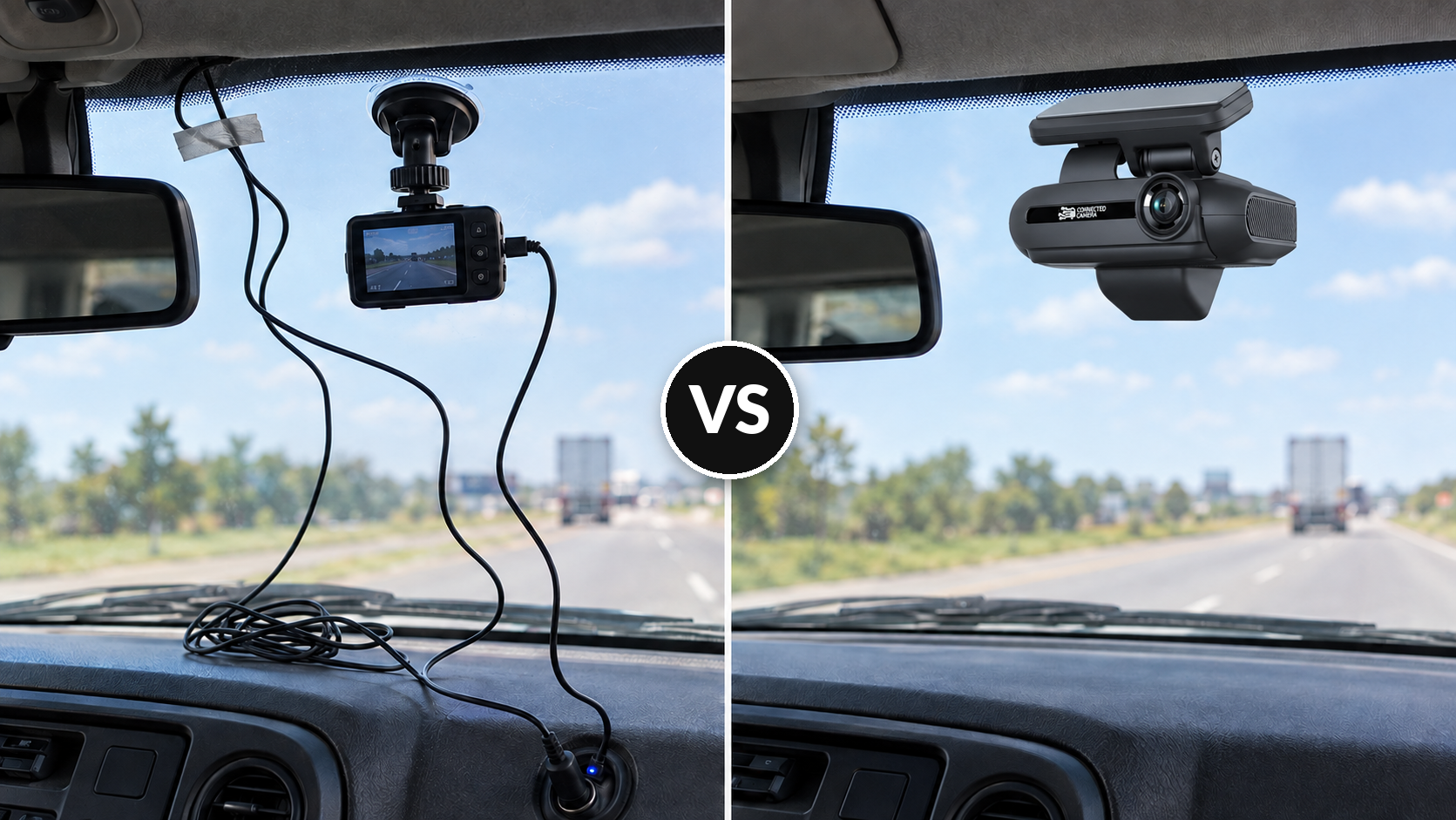
Consumer dash cams and commercial fleet camera systems both record road events. The difference that matters for fleet operations isn't resolution or field of view; it's what managers can do with the footage after an incident, customer complaint, or insurance claim arrives. Consumer cameras store video locally on an SD card, requiring physical access to the device when a review is needed. Commercial systems transmit footage automatically over cellular networks, connecting it to GPS coordinates, speed data, and trip history so managers can review events from any browser without touching the vehicle. For fleets running multiple vehicles with rotating drivers, that workflow gap outweighs any specification advantage a consumer model might offer.
| Capability |
Consumer Dash Cam |
Commercial Dash Cam System |
| Video storage |
Local SD card |
Cloud-based, cellular upload, Local SD card backup |
| Footage retrieval |
Manual; requires physical device access |
Remote, accessible from any browser |
| GPS and trip data |
None or limited |
Integrated with footage |
| Event detection |
Manual review required |
AI-triggered alerts (braking, speed, distraction) |
| Multi-vehicle management |
Not designed for fleet use |
Centralized across all vehicles |
| Driver coaching support |
None/manual |
Structured event-based review |
| Claims documentation |
Footage only |
Footage plus speed, location, and event data |
| Backup power and temperature tolerance |
Often a built-in lithium-ion battery that degrades in sustained heat and loses capacity in cold |
Typically a supercapacitor that holds up better in extreme heat and cold and through repeated power cycles |
| Cost model |
Low upfront; higher operational overhead, more frequent replacements |
Subscription; reduced manual labor, replacements often covered under warranty. |
What a Commercial Fleet Camera System Includes
A consumer dash cam functions as a standalone recording device designed for a single vehicle and owner. A commercial dash cam system addresses the operational needs of a fleet, where footage must reach the right people quickly, carry meaningful context, and function consistently across many vehicles and drivers.
On the hardware side, commercial systems offer configurations suited to fleet use: road-facing, dual-facing, and multi-view options, with optional driver-facing, side, and rear cameras based on the fleet's safety priorities and vehicle types. Commercial-grade mounting, vehicle power management tied to ignition cycles, and components rated for temperature extremes and road vibration separate fleet equipment from consumer devices built for personal use.
Backup power is one of the clearest examples. Many consumer dash cams, particularly lower-cost models, rely on a small built-in lithium-ion battery to finish saving a clip or keep running briefly after the engine shuts off. Lithium-ion cells are sensitive to heat: a dashboard in a vehicle parked in direct sun can climb well past 140°F, and repeated heat cycles accelerate capacity loss and can lead to swelling or outright failure. Cold weather cuts their capacity as well. Commercial-grade fleet cameras typically use a supercapacitor instead. A supercapacitor stores energy electrostatically rather than through a chemical reaction, so it tolerates temperature extremes and thousands of power cycles with far less degradation. It holds only enough charge to safely save the current recording when power cuts, which is why commercial units draw ongoing power from a hardwired vehicle connection rather than an internal battery. For vehicles that sit outdoors through hot summers or hard winters, that difference shows up in whether the camera is still recording reliably years into service. When comparing any camera, confirm the backup-power component and rated operating temperature range on the spec sheet.
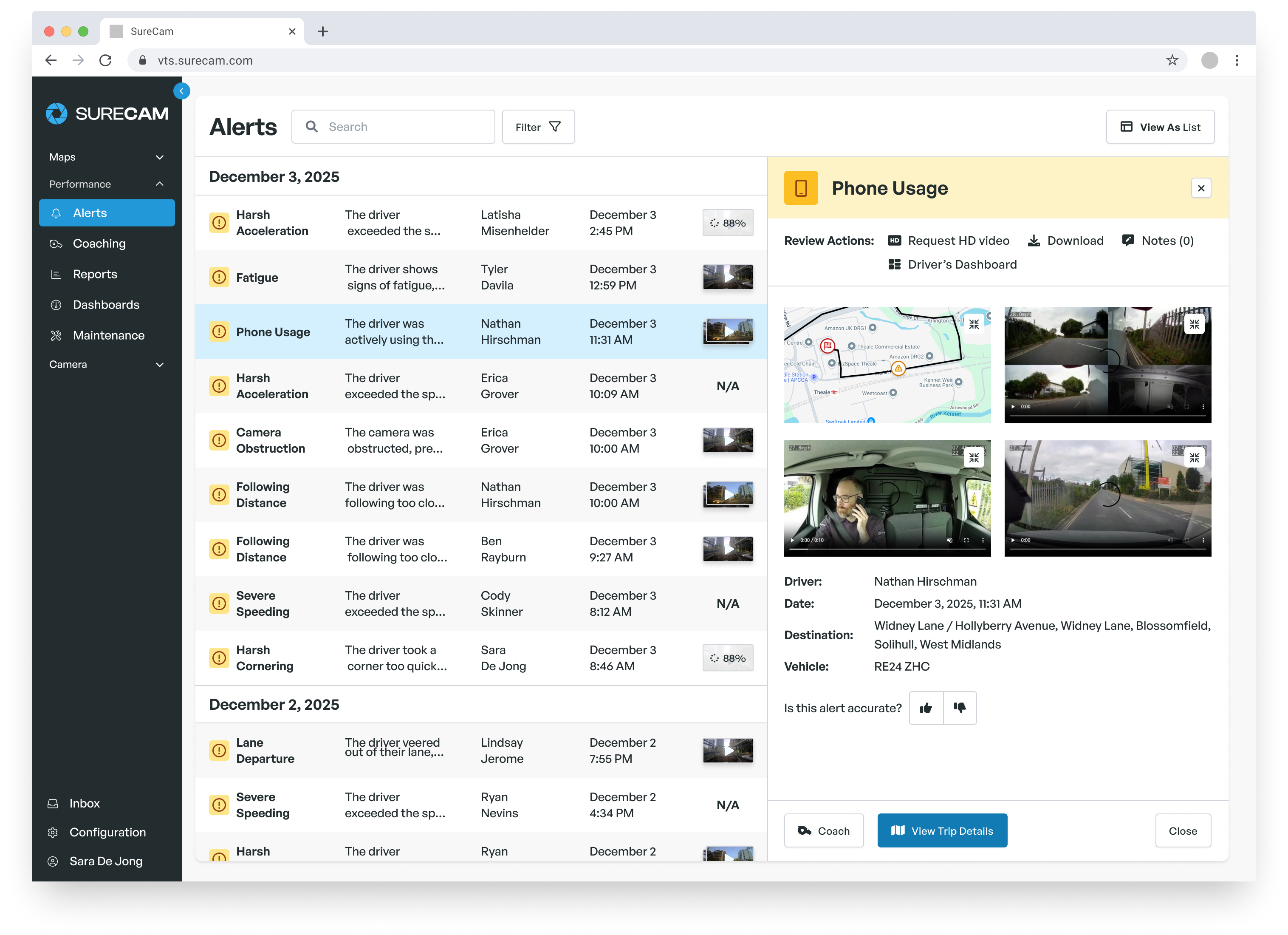
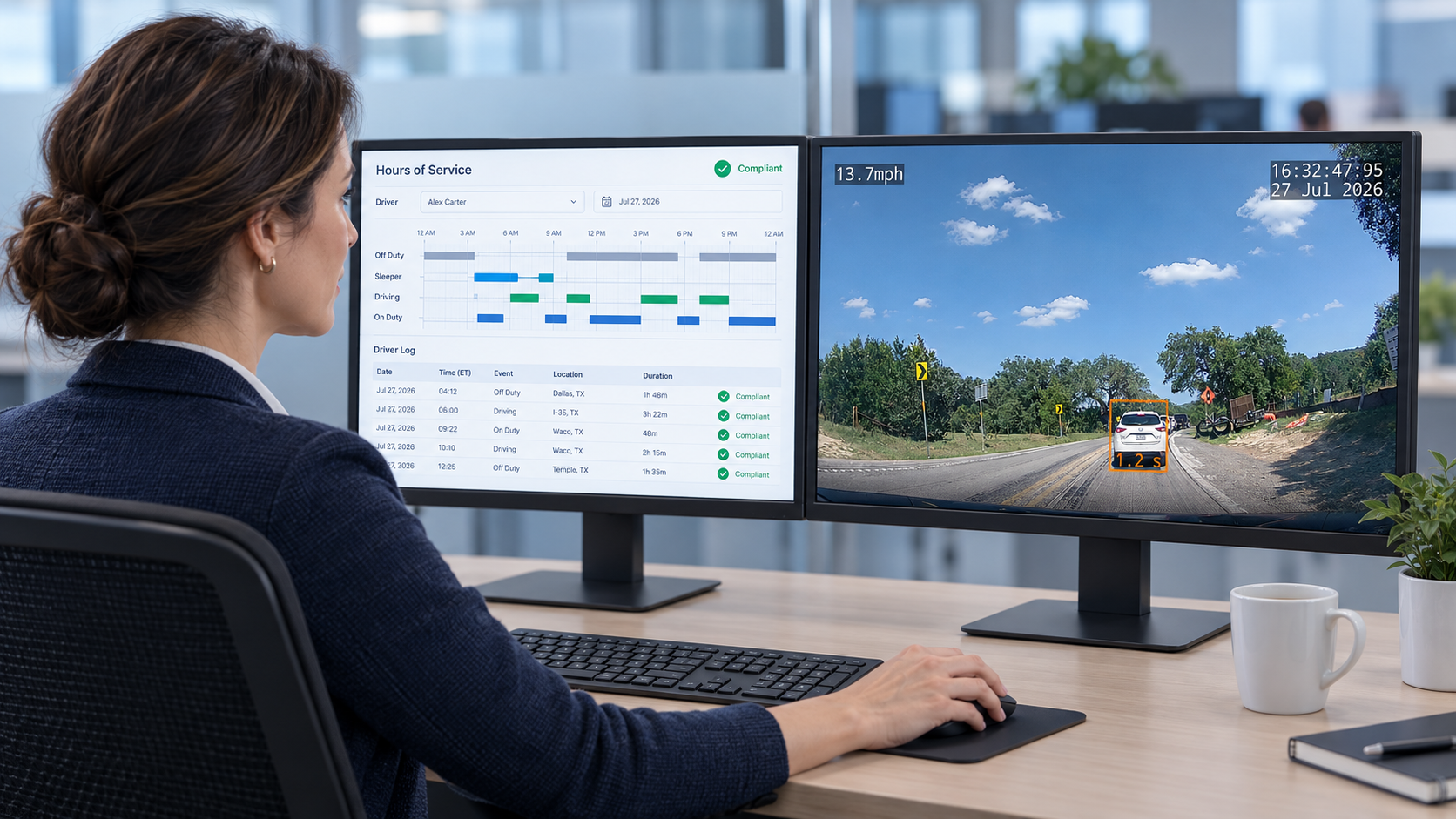
The software layer is where the operational difference sharpens. A commercial platform connects each recorded event to the GPS route, time stamp, and speed data from that moment, so managers see not just what happened but when, where, and under what conditions. Configurable alerts notify the right person when a hard-braking event, speeding threshold, or driver-behavior pattern occurs. User permissions let safety managers, operations leaders, and risk teams access what they need without opening footage outside their scope.
Most commercial platforms support centralized vehicle groupings, camera health monitoring, and integration with GPS, ELD, or telematics tools the fleet already uses. Footage retention, upload timing, and alert sensitivity can typically be configured to match the fleet's actual review process rather than a vendor default built for average use cases.
When Consumer Cameras Still Make Sense
A basic road-facing consumer camera can cover a limited need. For a sole proprietor with one vehicle, an occasional-use truck, or a very small operation where one person handles all retrieval and review manually, consumer hardware may meet the fundamental need to capture footage of road events.
The challenge begins when that process must scale across multiple vehicles, drivers, terminals, or managers. Consumer cameras require someone to verify that each device is powered, positioned correctly, and recording before local storage fills. Retrieving video after an event requires physical access to the device or its card, often hours or days after the incident, when operational context has already faded, and accounts of what happened have hardened.
A few workflow questions help clarify which category fits a given fleet: How quickly does the team need footage after an incident report arrives? Who confirms that every camera records correctly before each shift? Can a manager review footage with location and event details without calling the driver? Will the same retrieval process work reliably as the fleet grows?
Smaller fleets with a single manager handling retrieval may absorb that process without major disruption. Larger operations running multiple dispatchers, rotating drivers, and a claims process through an insurance partner will find that manual retrieval creates delays and inconsistency at exactly the moments those fleets can least afford them.
How Commercial Systems Support Coaching and Claims Defense
The operational value of a commercial dash cam system shows up consistently in two areas: coaching drivers on safety behaviors before an incident occurs, and defending against false or exaggerated claims after one does.
For coaching, AI-triggered event detection flags hard braking, harsh cornering, speeding, and distraction indicators without requiring a manager to review hours of footage manually. A safety manager can work through meaningful alerts for the entire fleet in a structured daily session, identifying the specific events that warrant a follow-up conversation. That conversation focuses on a clear behavior tied to a specific moment, rather than a broad characterization of a driver's habits that can feel unfair and dampen morale.
For claims, footage connected to GPS, speed, and event data produces a documentable record of what actually happened. That record resolves disputes faster, reduces time spent per claim, and documents driver exoneration in cases where a third party's account differs from the road-level evidence.
Matt "Jake" Jacobson, Director of Fleet Operations at SAV Express, described the shift after adopting SureCam across his 100-vehicle Minnesota-based dry goods carrier: "It suddenly puts in the truth of the matter rather than the way that the other party wants to shed light on the situation. I think it keeps everyone honest." SAV Express documented more than $1 million in saved repair and claims costs following adoption, including a parking-lot incident where a third-party truck struck a parked SAV Express vehicle and the damage would otherwise have gone unrecovered without footage to document it.
Data ownership shaped the decision as well. SAV Express's previous provider treated footage as the vendor's property, controlling access to it rather than making it directly available to the fleet. When a claim is in dispute and a manager needs footage immediately, that arrangement puts the operation at a disadvantage. A commercial system should give the fleet direct access to its own footage, without a vendor intermediary standing between the evidence and the team that needs it.
Total Operating Cost vs. Device Price
A low-priced consumer camera may appear to reduce fleet costs at the point of purchase. The full picture includes the ongoing labor required to manage devices, retrieve footage, confirm camera health, and maintain a consistent review process across the fleet.
For larger fleets relying on consumer cameras, the staff time needed to manage manual retrieval across multiple incidents in a month can exceed the monthly subscription cost of a commercial platform. The calculation shifts further when a missed retrieval or overwritten memory card results in a disputed claim settled without video support, transforming a documentation gap into a direct expense.
Commercial systems carry their own cost structure: hardware (leased or purchased), cellular data, platform subscription, installation, and training. The relevant comparison isn't the device price in isolation; it's whether the system reduces the labor and error cost of running a consistent incident-review process. Fleet leaders should also consider potential insurance premium effects from documented safety improvements and faster first-notification-of-loss processes, which some carriers weigh when reviewing premium adjustments at renewal.
Test the Workflow Before Committing Fleet-Wide
A structured pilot tells fleet managers more about system fit than any vendor demonstration. Select a representative vehicle group of eight to fifteen vehicles that captures the range of conditions the fleet actually faces: high-mileage routes, vehicles with rotating drivers, routes with early-morning or low-visibility driving, and vehicles that interact frequently with other traffic or job sites.
Run the evaluation for 30 to 60 days and track performance under real operating conditions. Measure camera uptime, footage retrieval time after an incident, manager adoption of the alert-review workflow, driver response to the system, and whether available footage provides enough context for a fair and complete review of reported events.
Before the pilot ends, walk through a realistic scenario: an incident gets reported, and the manager needs footage with location and event context within 30 minutes. Whether that process works smoothly reveals more about commercial system readiness than any specification sheet.
Choose Video That Supports a Fair Review Every Time
The best dash cam system for a fleet produces usable footage with reliable context whenever a real event requires review. Consumer cameras can serve a limited purpose in limited settings. For fleets where video needs to support incident review, driver coaching, claims documentation, and operational reporting across many vehicles and managers, a connected commercial system addresses needs that consumer hardware cannot.
SureCam helps fleet managers evaluate connected commercial cameras against their actual workflows, from installation and uptime to footage access and driver support. Use the commercial dash cam system features checklist to compare the capabilities that matter when incidents and claims require a complete record, or contact SureCam to discuss the fleet's specific requirements.