
Cloud or Local Storage for Fleet Dash Cams: Which Fits?
03 Mar 2026
dash cams


Improve fleet safety, reduce insurance claims costs, and boost field team productivity with an easy and affordable fleet dash camera system.
Drive your total fleet operations with SureCam’s all-in-one video telematics solution.
Valuable guides, case studies, and videos to help you optimize fleet management, safety, and productivity with telematics solutions.
Values, job opportunities, and ways to connect or partner with SureCam.




Here's a conversation that happens more often than it should: A fleet manager calls after a serious incident only to discover the critical 30 seconds of video needed to defend a driver never made it to the cloud, or worse, was auto-deleted to save storage costs. Meanwhile, the IT director is fielding complaints from dispatch because camera uploads are consuming the entire cellular data budget.
This isn't theoretical. In 2026, as AI-powered dash cams become table stakes for small and mid-sized commercial fleets, the storage question has moved from technical detail to business-critical decision. The video captured is only valuable if it can actually be accessed when needed, whether that's 20 minutes after a crash, three weeks into a claim investigation, or six months later when a lawsuit surfaces.
For fleets running 20 to 1,000 vehicles across field service, construction, last-mile delivery, or municipal operations, the cloud-versus-local storage decision isn't just about technology. It's about cost predictability, legal defensibility, operational simplicity, and whether cameras actually deliver ROI or just generate headaches for already stretched teams.
Five years ago, dash cams captured basic event footage (maybe 30 seconds before and after a hard brake). Storage requirements were modest. Today's AI dash cams are fundamentally different machines. They record continuously, run real-time distraction detection, identify following distance violations, analyze near-misses, and flag coaching opportunities multiple times per shift.
That means exponentially more video. A 50-vehicle fleet running modern AI cameras can generate 400 to 600 hours of flagged footage per month, plus continuous loop recording that needs selective retention. Add multi-camera setups (forward-road, driver-facing, cargo, side-view) and the data volume reaches terabytes annually.
Three forces are colliding to make storage a front-burner issue:
Insurance pressure is increasing. Carriers now routinely request 30-, 60-, or 90-day retention for claims defense. Some policies require specific storage protocols as a condition of coverage or premium discounts. If cameras auto-delete footage after 14 days to save cloud costs, the fleet may be undermining its own insurance strategy.
Nuclear verdicts are rising. Plaintiff attorneys in commercial vehicle cases know exactly how to request video evidence in discovery. If footage can't be produced, or if there's even a hint it was allowed to be deleted, that hands them a narrative about negligence and cover-up. Juries don't forgive that.
Regulatory and compliance complexity is growing. From FMCSA discussions around in-cab cameras to state-level privacy rules and emerging AI transparency requirements, fleets need demonstrable control over where video lives, who accesses it, and how long it's retained.
Bottom line: Storage architecture is now part of the risk management stack, not just an IT decision.
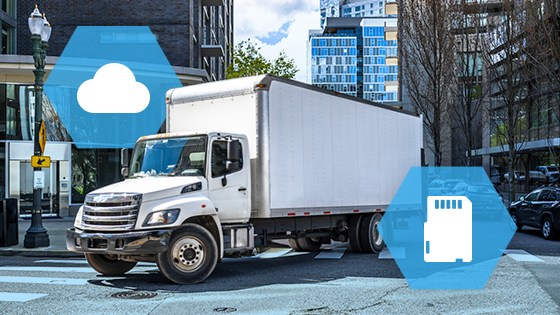
Cloud storage (where video uploads via cellular to vendor-hosted servers) has become the default for most dash cam vendors. The value proposition is straightforward: access footage from anywhere, automatic backups, no on-site hardware to manage, and seamless integration with AI analysis tools that flag risky events.
The upside is real. Cloud storage gives safety managers instant access to video from a laptop at home when a claim email arrives at 9 PM. It enables fast sharing with insurance adjusters, legal teams, and rapid exoneration in false-claim scenarios. Modern cloud platforms can trigger automatic uploads for high-G events while intelligently managing bandwidth for lower-priority footage. For fleets without dedicated IT staff, offloading storage management to the vendor is one less thing to worry about.
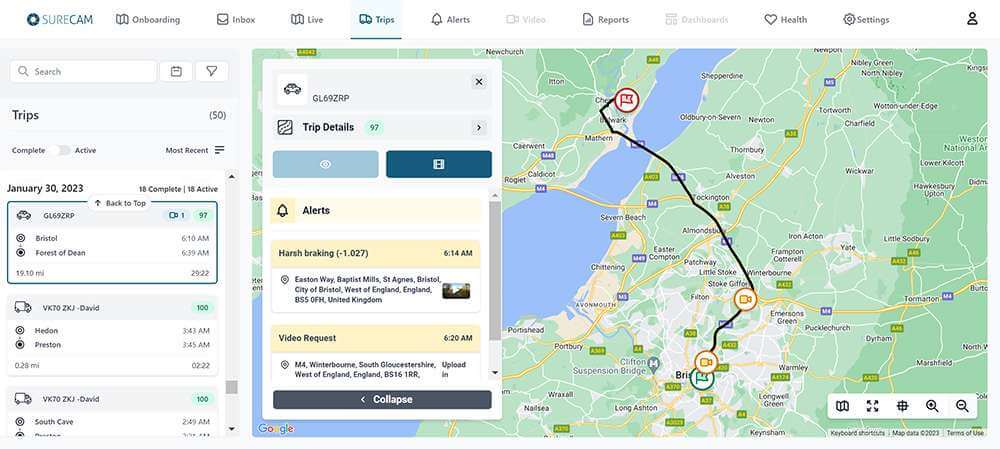
SureCam's cloud-based solution exemplifies this model: event videos are available within seconds of an incident and stored for up to 60 days. The three-step process (Event Detection via G-Force, telematics, or AI trigger; Instant Upload via cellular; Immediate Notification via email or platform) means safety managers can review footage and start the claims process while vehicles are still on the road.
For many small and mid-sized fleets, cloud storage aligned with a reputable vendor is the right call, if the cost structure and retention terms are clearly understood.
Here's where cloud gets complicated. Monthly per-camera fees can look reasonable in a sales demo but balloon when factoring in real-world usage. A fleet paying $15 to $25 per camera per month for cloud storage across 100 vehicles is spending $18,000 to $30,000 annually just for storage, before counting camera hardware, AI subscriptions, or cellular data.
Worse, many vendors bury auto-deletion policies in fine print. Footage older than 30 or 60 days gets purged to manage infrastructure costs. If a claim surfaces four months later (not uncommon in commercial insurance), the evidence may already be lost. Some vendors offer extended retention for an upcharge, but now teams are negotiating storage tiers mid-contract while a lawsuit clock is ticking.
Bandwidth is another hidden cost. Fleets operating in rural areas or across regions with spotty LTE coverage face delays in uploads or, worse, dropped footage. If cameras on hundreds of vehicles are uploading multiple events daily, cellular data bills can spike unexpectedly, especially if drivers are triggering more alerts than anticipated during a coaching rollout.
The security and control question also matters. When video lives on a third-party cloud, the fleet is trusting that vendor's cybersecurity, access controls, and business continuity. What happens if they get breached, acquired, or go under? For municipal fleets, government contractors, or companies in regulated industries, data sovereignty and chain-of-custody requirements may limit cloud viability entirely.
Local storage (typically SD cards or solid-state drives installed in the camera) keeps video on the vehicle until manual retrieval or connection to a local server. This is how traditional dash cams worked for years, and it remains viable for certain fleet profiles.
The cost advantage is clear. Once cameras with onboard storage are purchased, incremental costs are near zero. No monthly cloud fees. No bandwidth overages. For cost-conscious fleets where total cost of ownership is the deciding factor, local storage can deliver 40% to 60% savings over a three-year camera lifecycle.
Local storage also provides absolute control. Video stays in the fleet's possession. Retention is dictated by internal policy, not a vendor's server limits. For fleets with strict data governance requirements (government agencies, healthcare transport, certain utilities), this can be a compliance must-have.
The operational drawbacks are significant. Footage can't be accessed remotely. When a claim happens, someone has to physically retrieve the SD card from the vehicle, connect it to a workstation, find the relevant timestamp, and export the file. If that vehicle is 200 miles away on a job site, days get added to claims response time.
Driver behavior coaching becomes harder, too. Modern AI platforms analyze footage in near-real-time and push coaching alerts to managers. Local storage breaks that loop. Teams are back to periodic manual reviews, which means most coaching opportunities get missed entirely.
And local storage isn't bulletproof. SD cards fail. They get corrupted in extreme heat or vibration. Drivers sometimes remove them, accidentally or otherwise. Unless there's a disciplined maintenance and retrieval protocol, critical footage can disappear just as easily as with cloud auto-deletion, except now it's the fleet's problem to solve.
Smart fleet managers in 2026 are increasingly landing on hybrid architectures that blend the best of both worlds.
Event-based cloud upload with local backup. Cameras store all footage locally on high-capacity SD cards (128GB to 512GB) but automatically upload high-priority events (crashes, hard braking, distraction alerts) to the cloud via cellular. This provides fast access to incidents while keeping full-resolution archives on the vehicle for 60 to 90 days or longer. SureCam's approach leverages this model: continuous video offers 50 hours of rolling storage locally, while critical events trigger instant cloud upload.
Wi-Fi offload at the yard. Cameras sync to a local server or NAS device when vehicles return to the depot at night, uploading flagged events and periodic snapshots without consuming cellular data. Cloud access is reserved for true emergencies or remote vehicle incidents. This approach works especially well for fleets with consistent return-to-base patterns (construction, municipal, last-mile delivery).
Tiered retention policies. Critical footage (crashes, claims, severe violations) uploads to long-term cloud storage with multi-year retention. Routine events stay local and age out after 30 to 60 days. This allows cost management while ensuring legal defensibility on high-stakes incidents.
The hybrid model requires slightly more upfront planning. Teams need to define what triggers cloud upload, set retention rules, and train staff on where to look for different types of footage. But for mid-sized fleets balancing cost, access, and control, it's often the optimal solution.
Here's a practical checklist to guide storage decisions:
Start with claims and legal reality. Talk to the insurance broker and legal counsel. What's the average time-to-claim-notification? What retention periods do policies require or incentivize? If the fleet regularly defends against third-party claims or operates in litigious markets, cloud accessibility and extended retention aren't luxuries, they're necessities. Understanding whether the operation faces more "crash happened, need video now" scenarios versus "lawsuit filed 120 days later" scenarios shapes the entire storage strategy.
Map operational patterns. Do vehicles return to a central yard daily, or do they operate remotely for weeks? Fleets with predictable return-to-base schedules can leverage Wi-Fi offload and local archiving far more effectively than field service teams scattered across three states. If drivers rarely come back to the shop, cloud upload becomes essential just to access footage before it loops over.
Calculate true total cost of ownership. Don't just compare sticker prices. Model out three years. Include hardware, monthly cloud fees, cellular data, potential overage charges, and the hidden labor cost of manual SD card retrieval if going local. A system that looks 30% cheaper upfront may actually cost more when bandwidth spikes or when a safety manager spends 10 hours a month driving to job sites to pull cards.
Assess internal IT capacity. Does the fleet have someone who can manage local servers, handle firmware updates, troubleshoot failed uploads, and maintain data integrity? Or is the operations team already maxed out juggling dispatch, maintenance, and customer service? Managed cloud solutions offload that burden, but there's a premium. Self-managed local solutions save money if (and only if) there's bandwidth to actually manage them.
Test retention requirements against vendor terms. Read the actual contract, not just the sales deck. What's the default retention period? What happens to footage after that? What does extended retention cost? Can retention policies be customized per vehicle or event type? If the vendor's standard 30-day retention doesn't align with the fleet's 90-day insurance requirement, that's a gap that needs closing before signing anything.
Consider scalability and future needs. A 25-vehicle fleet today might be 100 vehicles in 18 months. Does the storage architecture scale gracefully, or does it hit cost or complexity walls at certain fleet sizes? Similarly, if the plan is to add side cameras, cargo cameras, or AI coaching features down the road, make sure the storage solution can absorb that additional data without requiring a complete system overhaul.
Evaluate data security and compliance. For certain industries (government, healthcare, financial services), where data lives isn't optional, it's regulated. Cloud vendors need to demonstrate SOC 2 compliance, encryption standards, access logging, and data residency commitments. Local storage gives control but also makes the fleet responsible for securing that data. Neither approach is inherently more secure; it depends on execution.
Consider two real-world fleet profiles:
Regional HVAC contractor, 75 service vans, daily return to yard. This fleet went hybrid: cameras store 50 hours of continuous footage locally and auto-upload distraction alerts and hard-braking events to the cloud during the day. Each night, when vans return, they connect to the shop Wi-Fi and sync flagged events plus one random 10-minute clip per vehicle for quality checks. Cloud storage handles acute incidents (a crash that happens at 2 PM gets reviewed by 3 PM). Local storage covers long-tail needs (a customer claims a van hit their fence three weeks ago, footage is still on the SD card). Total monthly cost: roughly 40% less than full cloud, with 95% of the access speed.
City utility fleet, 200 trucks, strict data residency rules. This municipal operation chose local-primary with selective cloud. All footage stays on vehicle-based storage for 120 days. High-severity events (crashes, citizen complaints, workers' comp incidents) get manually flagged and uploaded to a city-owned secure cloud for long-term retention and legal hold. The trade-off: slightly slower incident response (footage isn't instantly accessible for every fender-bender), but full compliance with municipal data governance policies and zero risk of third-party vendor issues. Cost: minimal ongoing fees, but required upfront investment in city IT infrastructure.
Both fleets are running AI dash cams. Both are getting safety and claims value. The storage architecture just fits their operational reality and risk tolerance differently.
There's no universal "right" answer to cloud versus local storage. The optimal choice depends on operational patterns, budget constraints, regulatory requirements, IT capacity, and risk profile.
Cloud storage makes sense for fleets that need instant remote access, lack IT resources, operate vehicles far from base, and can absorb monthly fees for the convenience and speed. Local storage works for cost-sensitive fleets with centralized operations, predictable vehicle return schedules, internal IT capability, and specific data sovereignty requirements. Hybrid models offer a pragmatic middle ground for fleets that want cloud speed on critical events without cloud costs on everything.
What doesn't work: making the storage decision based solely on vendor convenience or initial price, then discovering six months in that the architecture doesn't align with actual needs. A camera system that can't produce footage when it matters, or that generates surprise bills every month, undermines the entire investment.
The fleets winning on video telematics in 2026 are the ones treating storage as a strategic choice, not a technical afterthought. They're asking hard questions upfront, modeling real costs, testing retention policies against actual claim timelines, and picking architectures that fit how their operation actually runs.
Whether that's full cloud, local-only, or hybrid, the key is making an informed decision that aligns technology with business reality, then building processes to ensure the video is there when needed. Because at the end of the day, the best camera system in the world is worthless if the footage isn't accessible when a claim, lawsuit, or compliance audit comes knocking.



.png)